iPhone app and website blocker

BlockMind: an iPhone app and website blocker you can't casually undo

BlockMind is an iPhone app that blocks distracting websites and apps, and makes the block hard to undo on impulse.

Download on the App Store
Features

What does BlockMind do?

01

Website blocking

Blocks distracting websites across iPhone browsers.

02

App blocking

Pick the apps to block and set schedules, or start a quick block.

03

Cooldowns

Turning blocking off starts a wait of 15 minutes to 24 hours that you set in advance.

04

Strict Mode

Locks protection for a period you choose, with no way to switch it off early.

05

Deletion protection

Deleting the app to escape the block goes through a cooldown first.

06

Streaks and house phases

Your streak is counted in days, hours and minutes. New house phases unlock at the start, at 7, 30 and 60 days.

07

Relax and breathe

Waterfall, campfire and birdsong sounds, plus guided breathing, for when an urge hits.

08

My Why

Write down why you set the block, and read it when you're about to undo it.

App

What does the app look like?
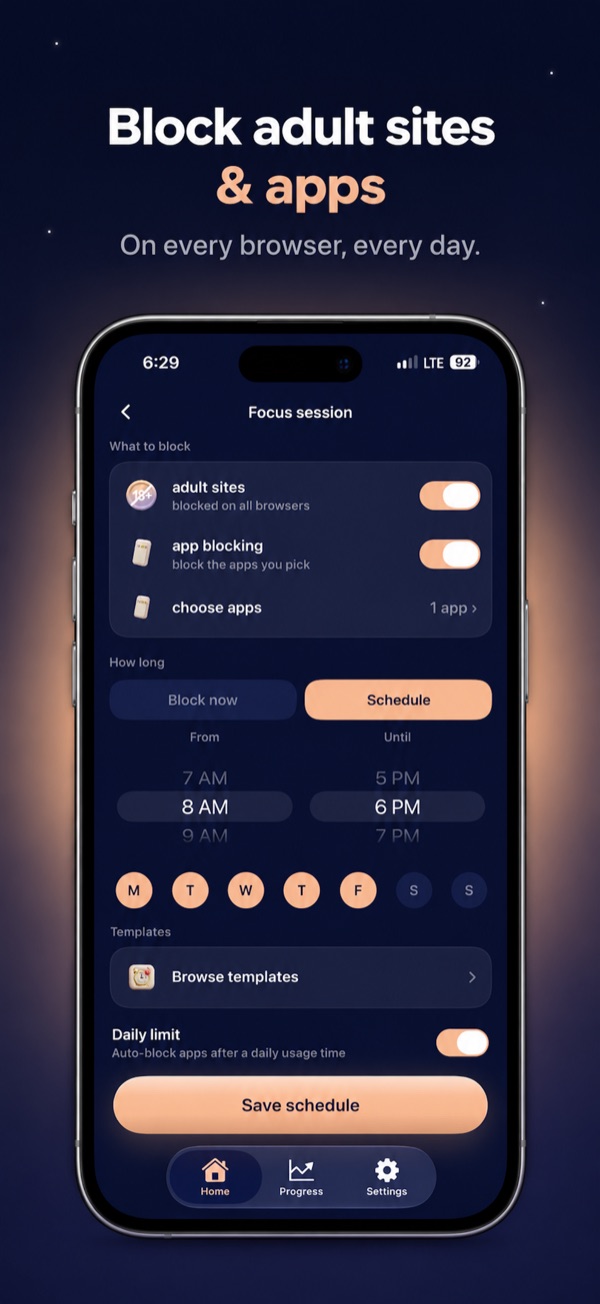
BlockMind focus screen showing website blocking on all browsers and chosen apps blocked on a schedule

Blocking

Websites and apps on a schedule.
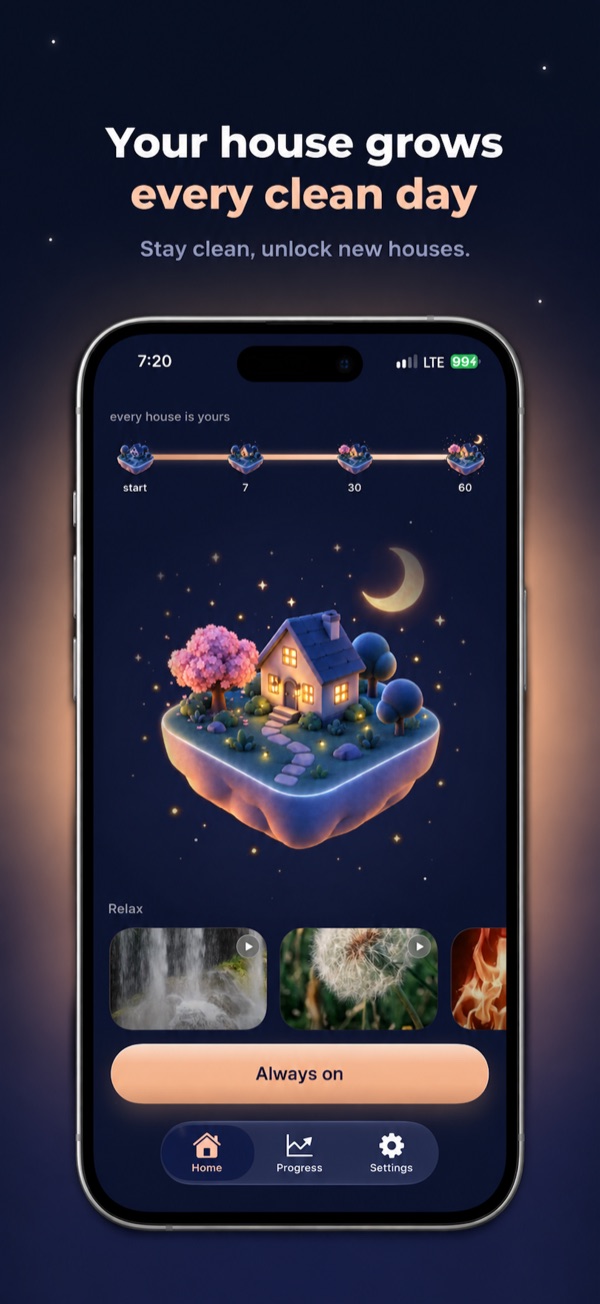
BlockMind home screen with a house phase that grows as the streak gets longer

House phases

Unlocked by your streak.
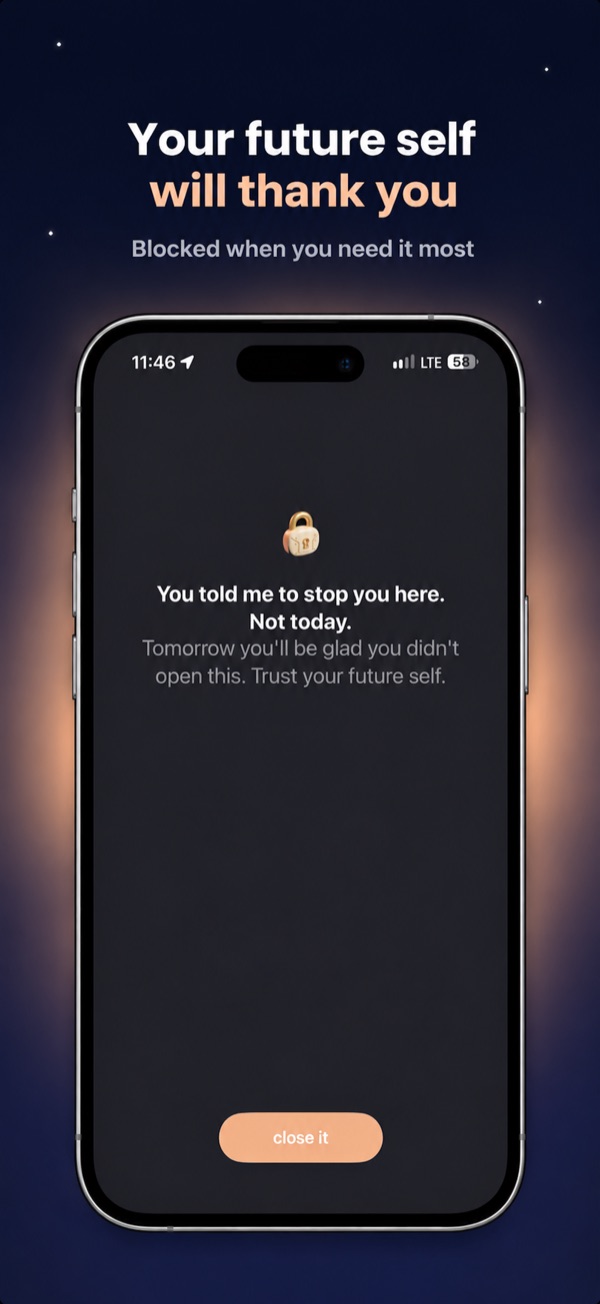
BlockMind block screen shown when opening a blocked site, with a reminder message you set earlier

Block screen

What you see when you open a blocked site.
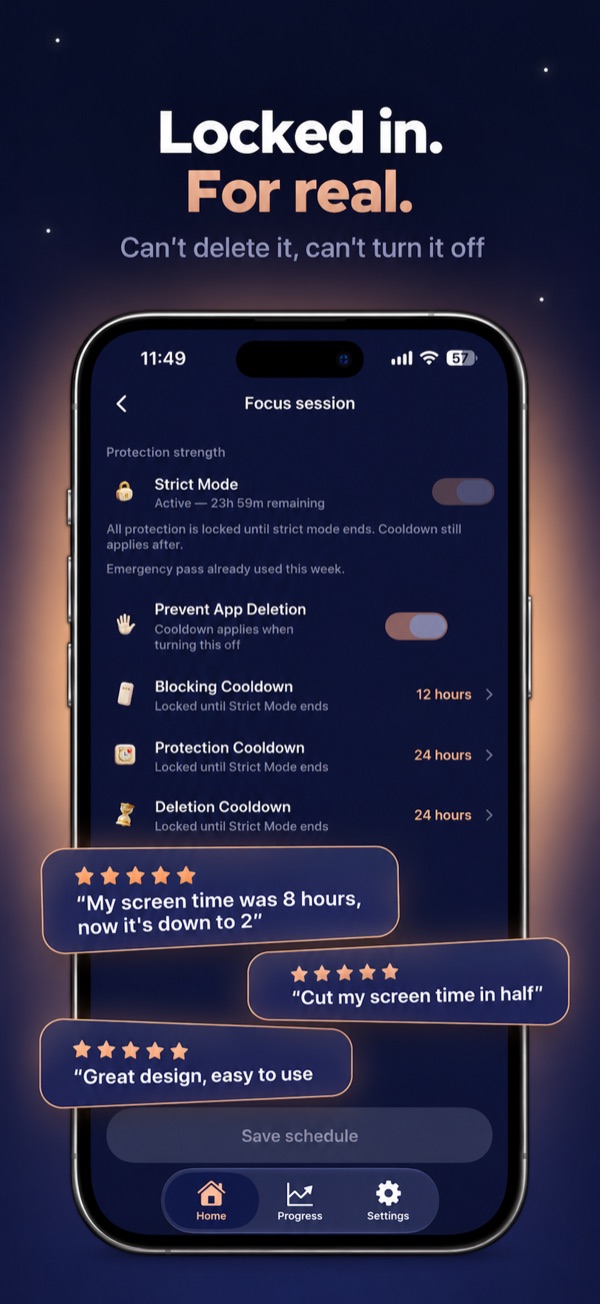
BlockMind Strict Mode settings with deletion and blocking cooldowns

Strict Mode

Cooldowns for turning off and deleting.
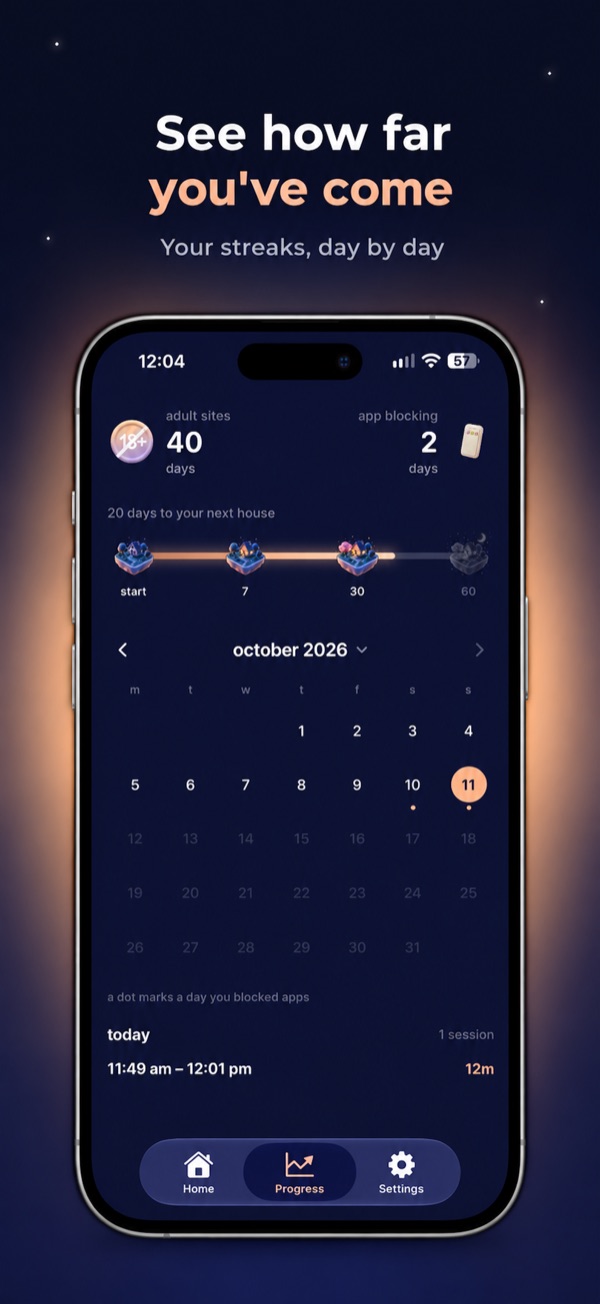
BlockMind progress screen with current streaks and a monthly calendar

Progress

Streaks and a monthly calendar.

Quick answers

Quick answers

What is BlockMind?

BlockMind is an iPhone app that blocks distracting websites and apps, and makes the block hard to undo on impulse.

What happens when I try to turn the block off?

Turning blocking off starts a cooldown you set in the app, from 15 minutes up to 24 hours. Everything stays blocked until it ends.

What is Strict Mode?

Strict Mode locks protection for a period you choose. Until it ends, you can't turn the block off or delete the app to get around it.

How do the house phases work?

Your streak unlocks new house phases: one at the start, then at 7 days, 30 days and 60 days.

Guides

How do I block apps and websites on iPhone?

How to block websites on iPhoneScreen Time steps and when you need a stronger block. How to block apps on iPhoneFree Screen Time settings and their limits. Best app blocker for iPhoneWhat to check before you pick one. iPhone app blocker with Strict ModeWhat Strict Mode does and when to use it. How to block YouTube on iPhoneThe app, the website and Shorts. How to block Instagram on iPhoneKeep one quick check from taking an evening. How to block TikTok on iPhoneSchedules and limits for short-video apps. How to limit screen time on iPhoneApp Limits, Downtime and limits that hold. How to reduce screen time on iPhoneA step-by-step plan to use your phone less. How to stop scrolling at nightKeep your phone out of your sleep window. How to use your iPhone lessTen practical steps. How to stay focused while studyingStudy with your phone nearby without losing hours. Do gamified focus apps work?What streaks and rewards can and can't do. How to block explicit websites on iPhoneScreen Time's filter plus a block that stays on. How to filter explicit content on iPhoneSites, apps and media ratings in one setup. Explicit site blocking on iPhone (2026)Steps, limits and a blocker comparison. Breaking an explicit-content habit on iPhoneA setup for urges and weak moments. Choosing an explicit-content blockerWhat matters when comparing blockers. All blog postsEvery BlockMind guide in one place.
Download

Where can I get BlockMind?

BlockMind is on the App Store for iPhone.

Download on the App Store